> For the complete documentation index, see [llms.txt](https://docs.studio.uzu-app.com/llms.txt). Markdown versions of documentation pages are available by appending `.md` to page URLs; this page is available as [Markdown](https://docs.studio.uzu-app.com/basic-features/effect/colortheme.md).

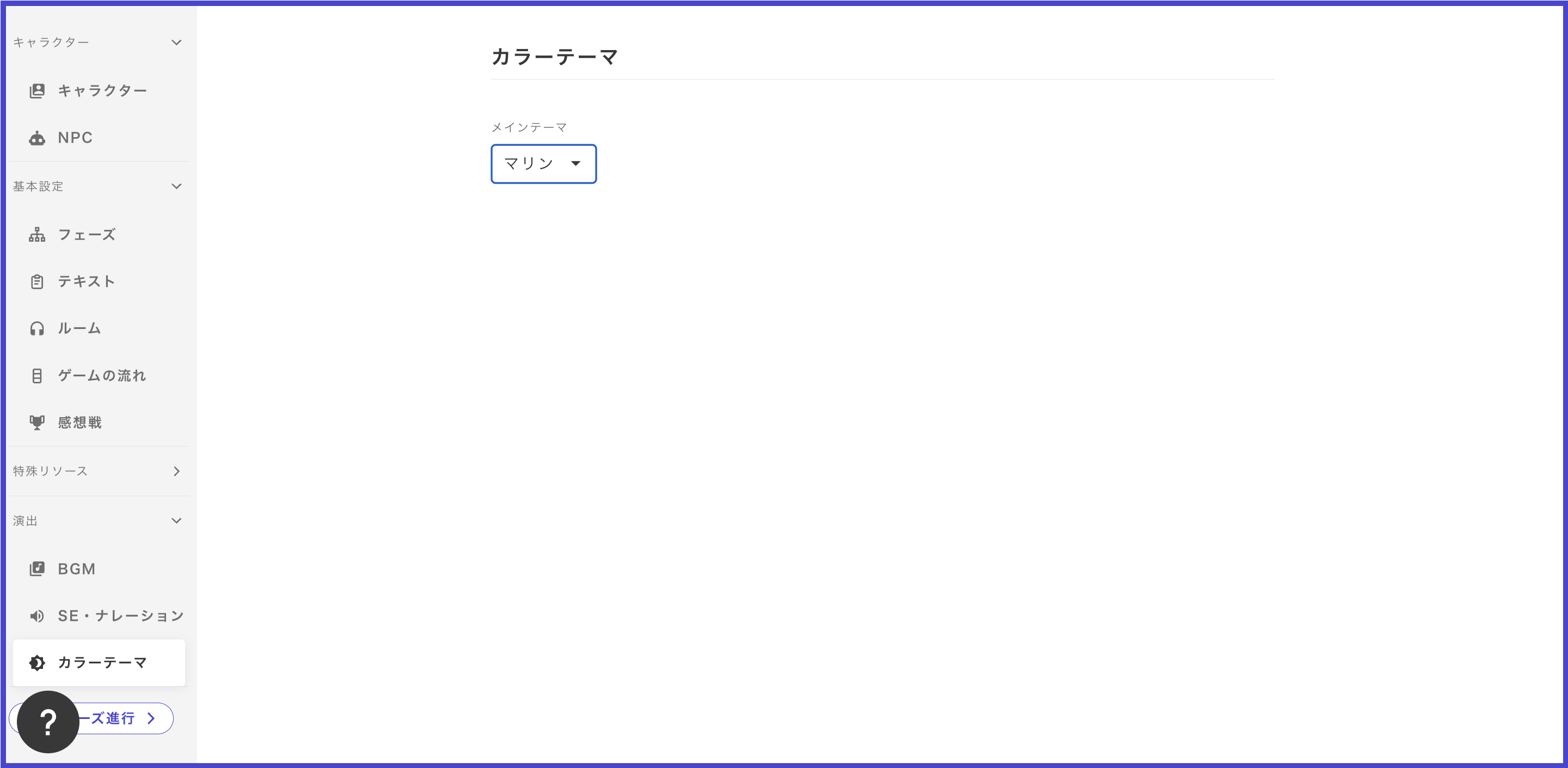
# カラーテーマ

カラーテーマは2025年12月より「画面デザイン」モードに組み込まれ、以下は旧編集モードとなりました。旧編集モードは徐々にサポートが終了するため、画面デザインモードへの切り替えをお願いいたします。詳細は[こちら](/basic-features/effect/screen-design.md)から。

<figure><img src="/files/skD6q4NDHtEv4tj2U4jk" alt=""><figcaption></figcaption></figure>

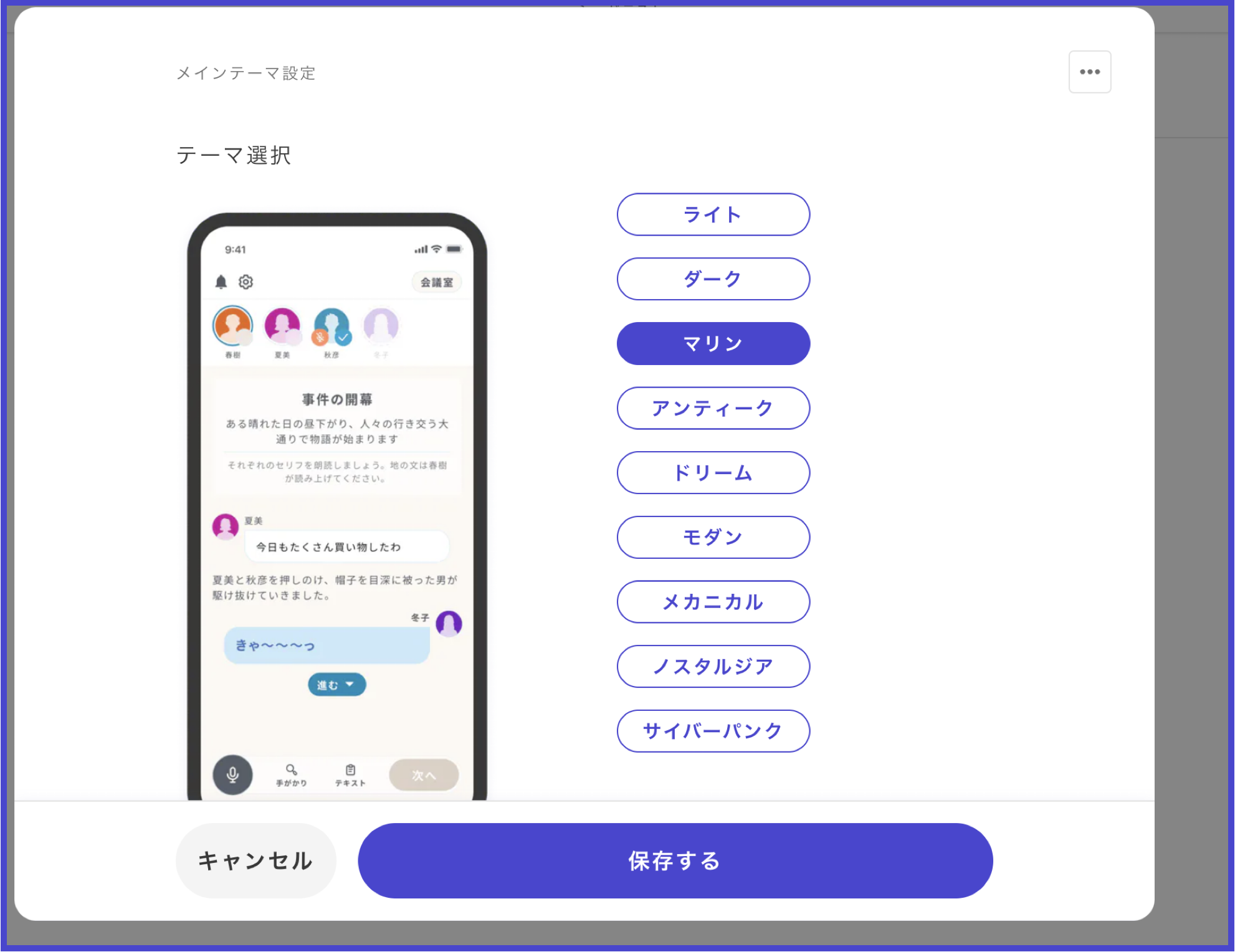
<figure><img src="/files/AXZZ2E1nwpjVm16A5vZg" alt=""><figcaption></figcaption></figure>

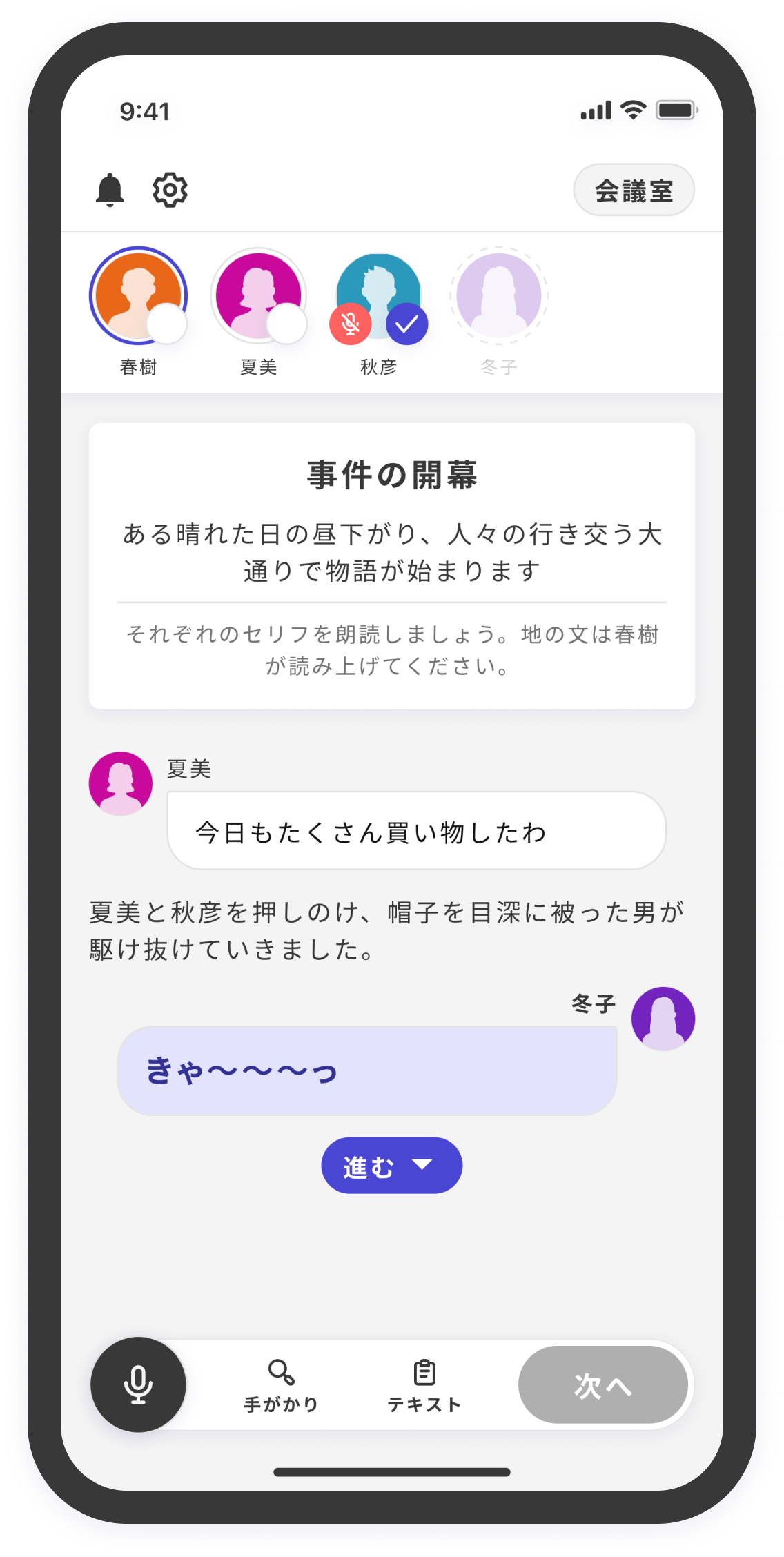
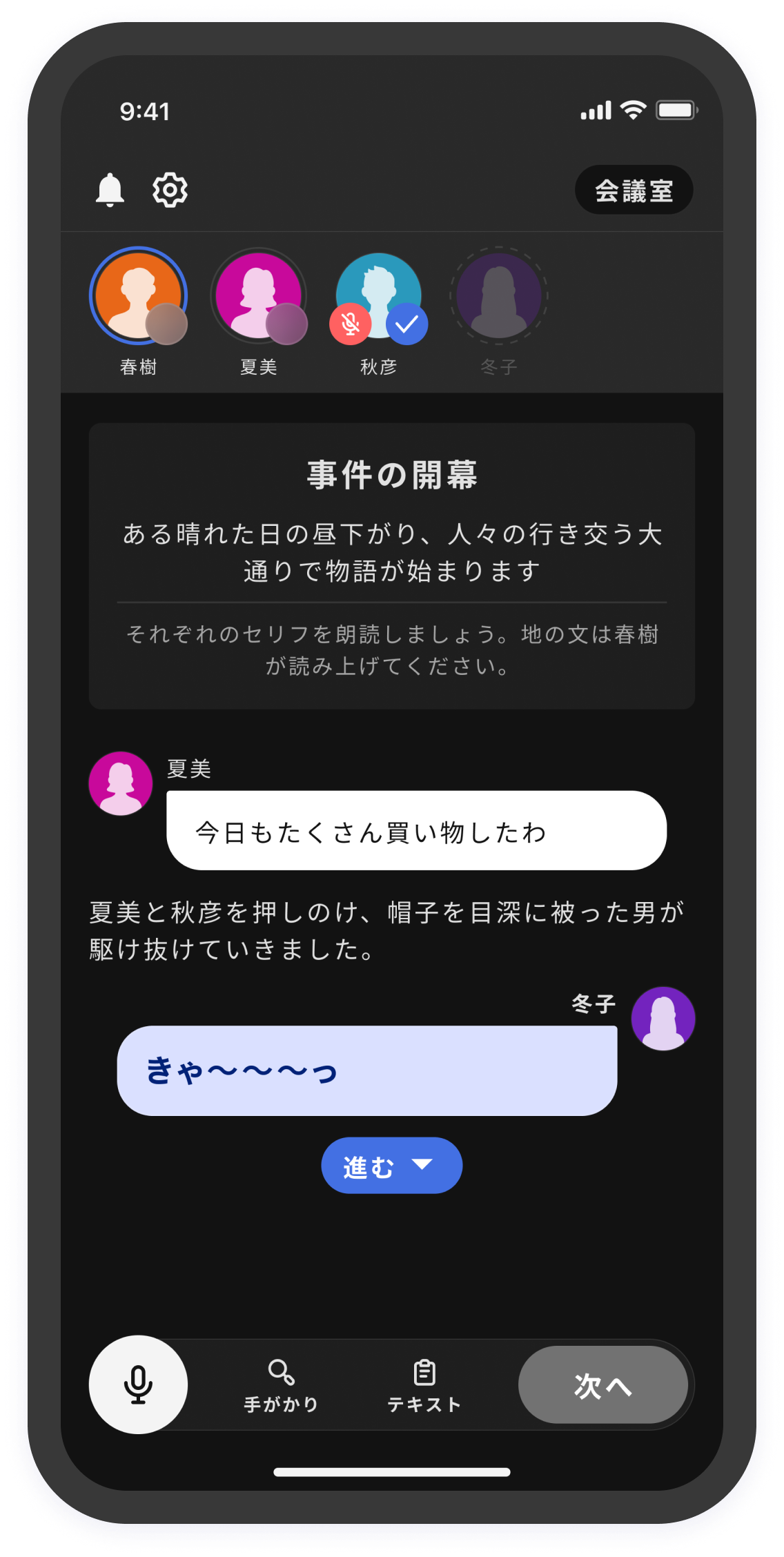
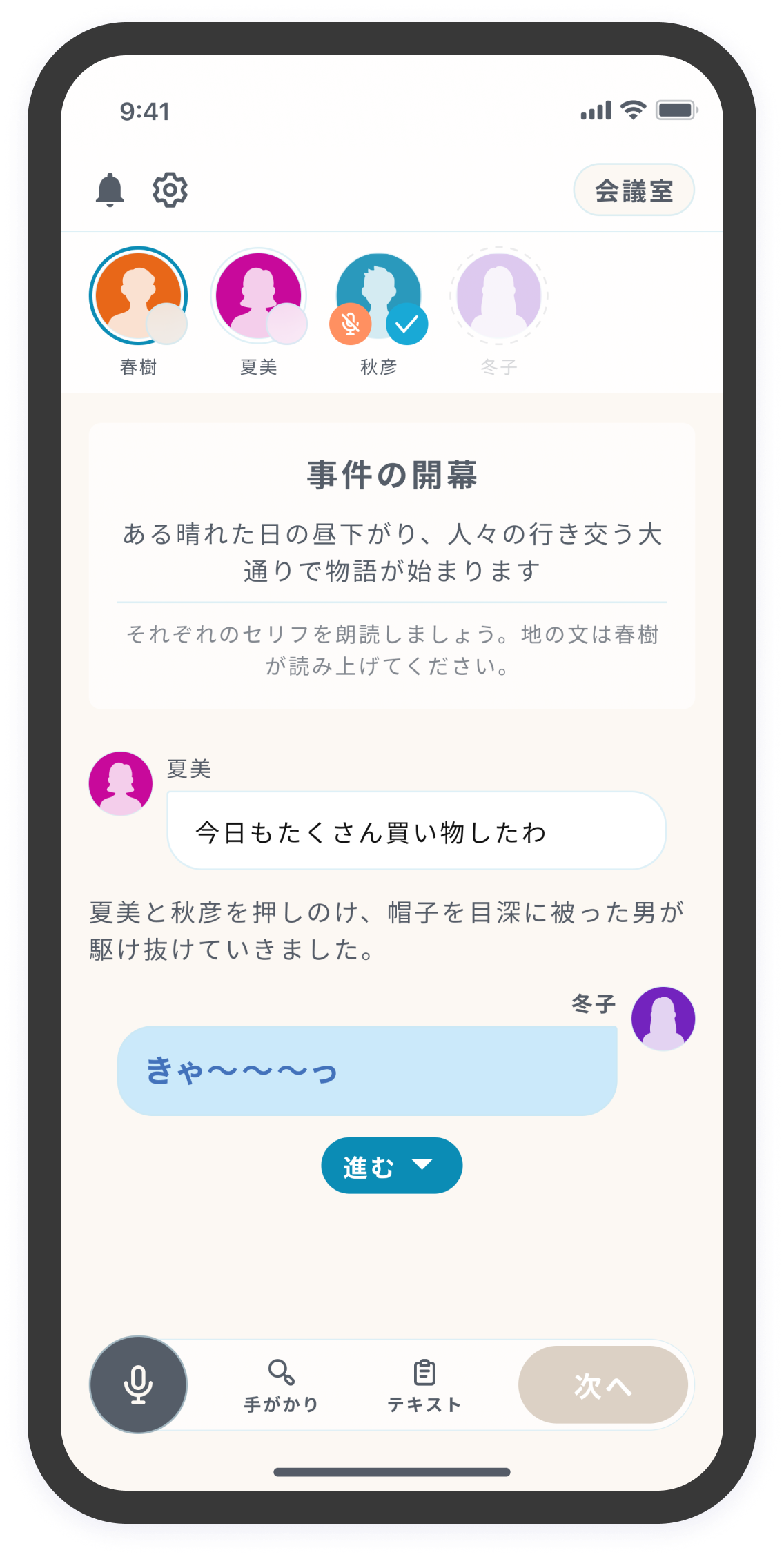
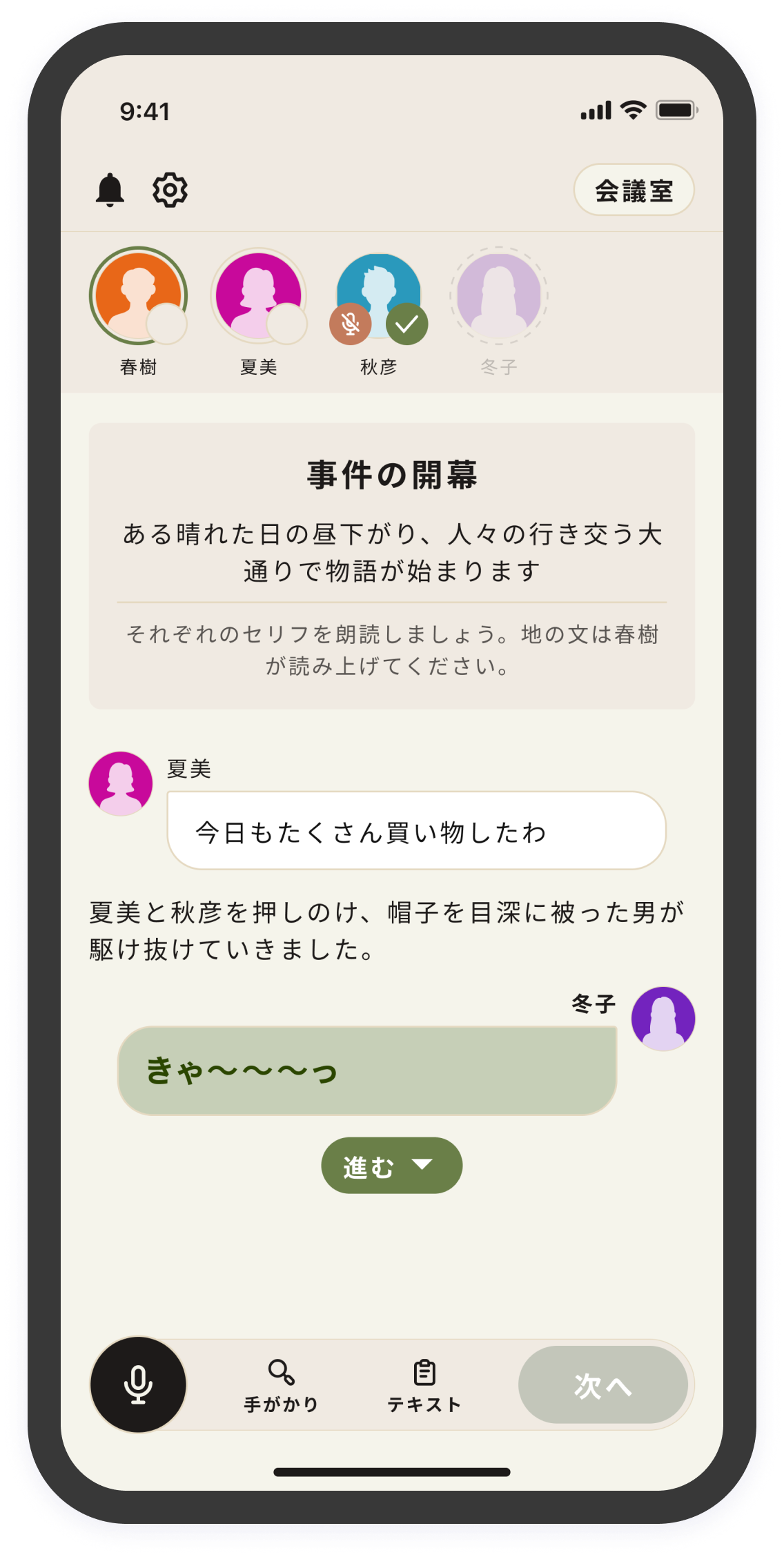
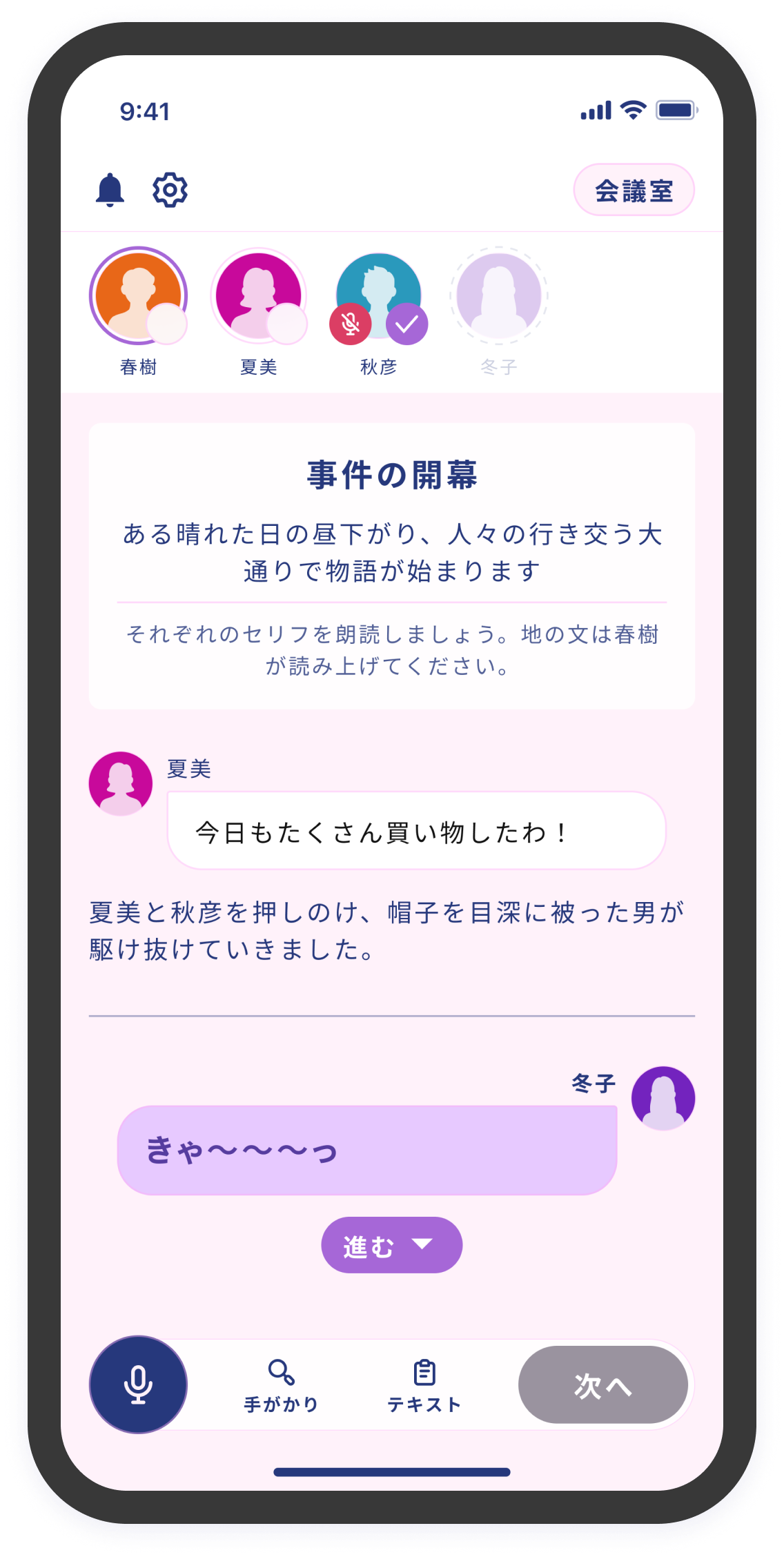
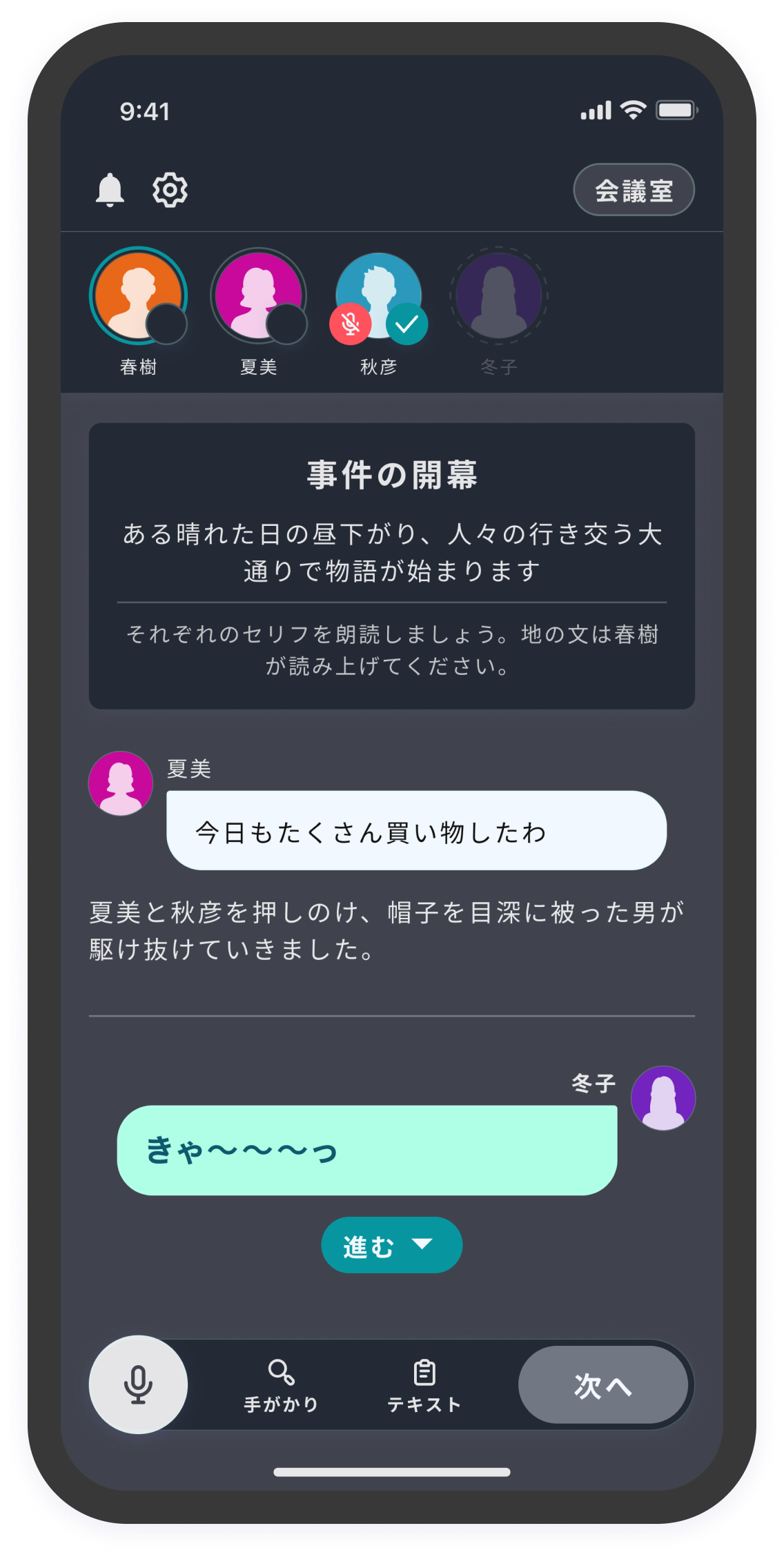
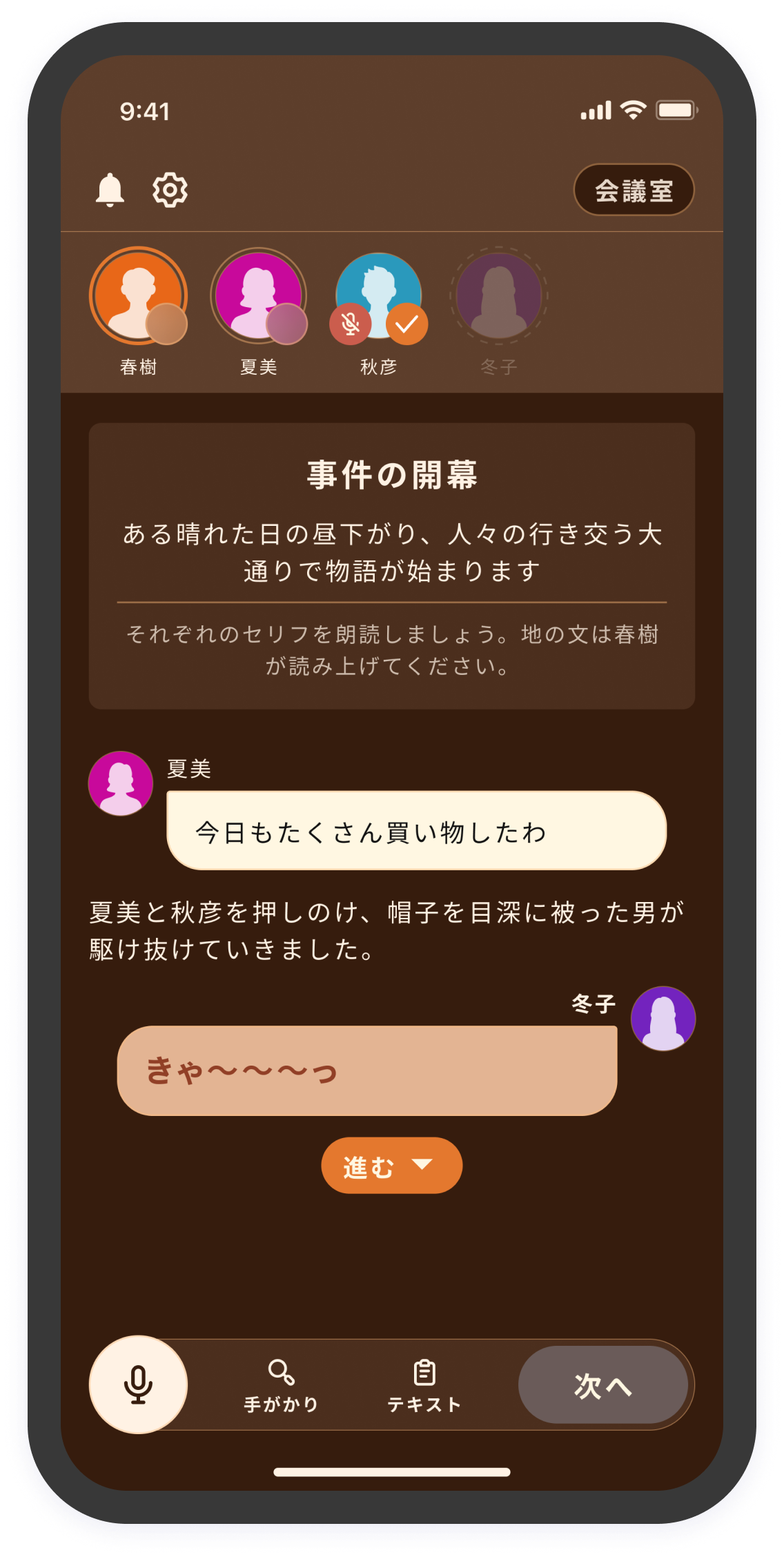
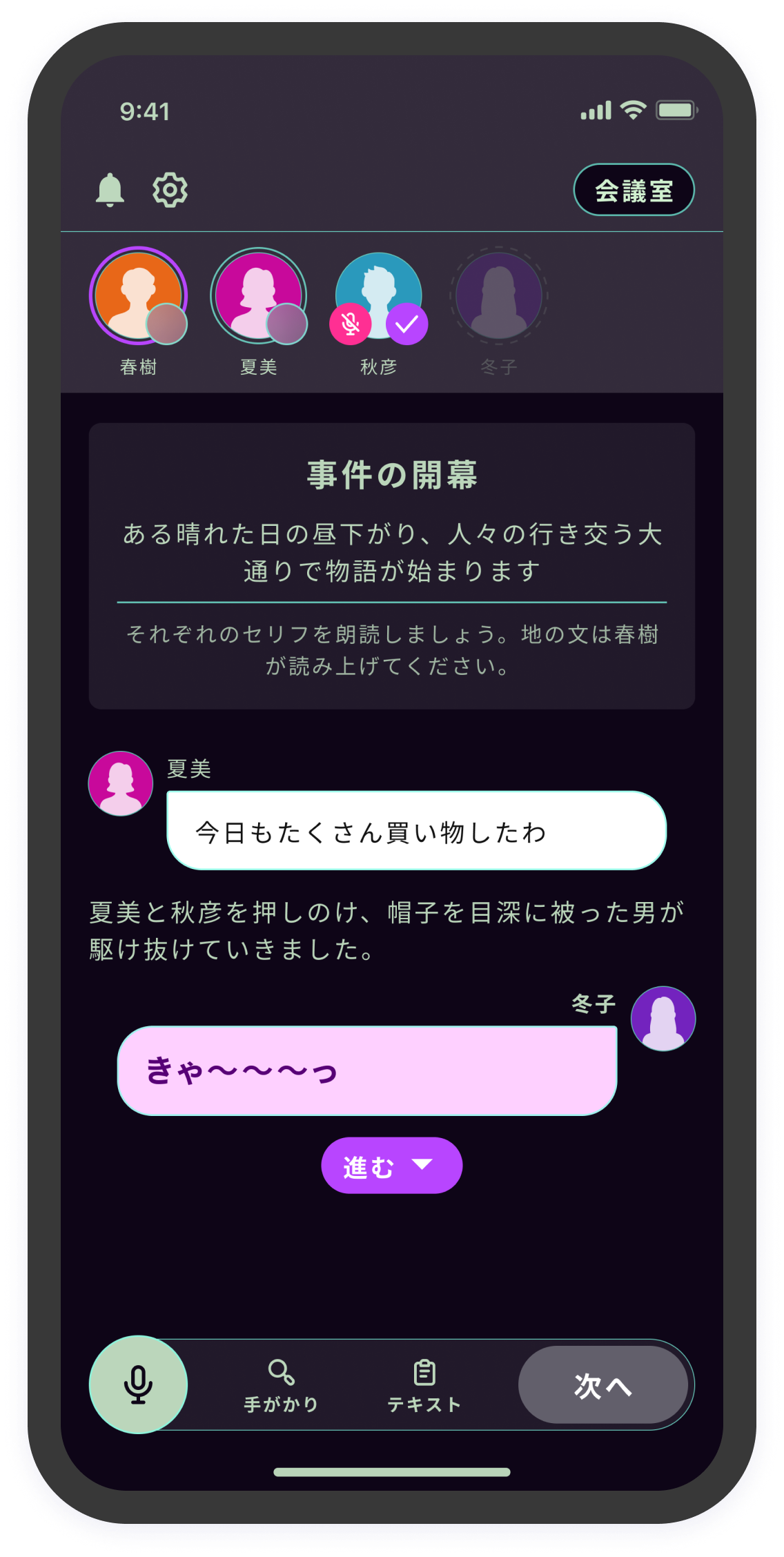
テーマは2024/01/12 現在で以下の種類が使用できます。
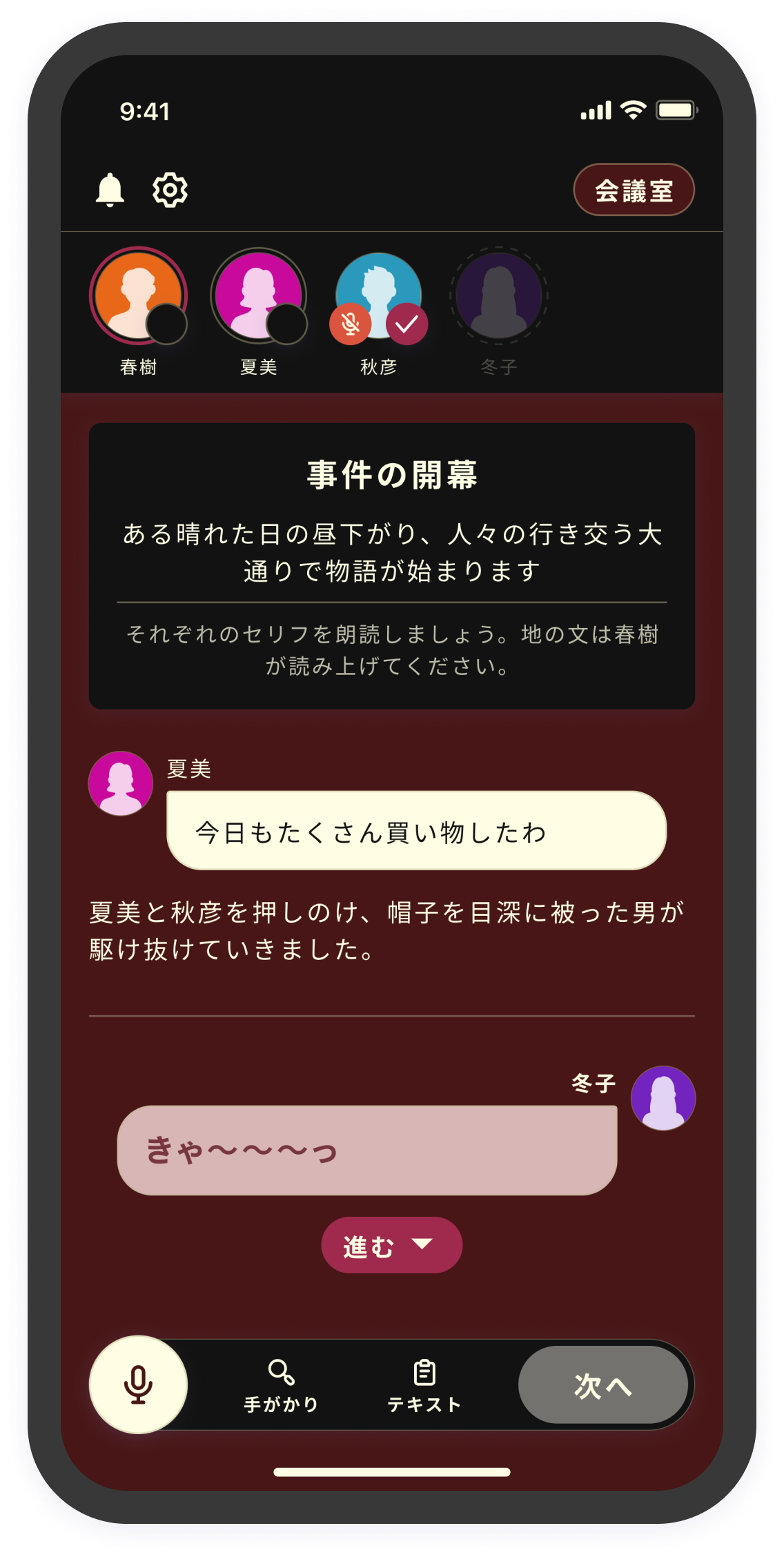
<table data-view="cards"><thead><tr><th></th><th></th><th></th></tr></thead><tbody><tr><td><strong>ライト</strong></td><td><img src="/files/CcyMnTORm2cjd0fkmpfg" alt="" data-size="original"></td><td></td></tr><tr><td><strong>ダーク</strong></td><td><img src="/files/n41mWEHk15mURVLcgbER" alt="" data-size="original"></td><td></td></tr><tr><td><strong>マリン</strong></td><td><img src="/files/KSmOu1uhk9bdr9vKzrmo" alt="" data-size="original"></td><td></td></tr><tr><td><strong>アンティーク</strong></td><td><img src="/files/bdbQpFaNcfp35WJbORFN" alt="" data-size="original"></td><td></td></tr><tr><td><strong>ドリーム</strong></td><td><img src="/files/19eunTZdNXkPRqCmf8X9" alt="" data-size="original"></td><td></td></tr><tr><td><strong>モダン</strong></td><td><img src="/files/Ax4L71mwLwP439CX4xAk" alt="" data-size="original"></td><td></td></tr><tr><td><strong>メカニカル</strong></td><td><img src="/files/6WO8yLJE1M8vzq2rA9le" alt="" data-size="original"></td><td></td></tr><tr><td><strong>ノスタルジア</strong></td><td><img src="/files/puxAZicxEvVxAeIuiriA" alt="" data-size="original"></td><td></td></tr><tr><td><strong>サイバーパンク</strong></td><td><img src="/files/QktJ0AwfOlhLvF3rhgT1" alt="" data-size="original"></td><td></td></tr></tbody></table>

文字色は自動で最適化されるので、モードに合わせて変える必要はありません。

![](/files/9rog09vR7G1tbLd4n6W5)

### 設定したタイミングでカラーテーマが変わらない？ <a href="#why-not-change" id="why-not-change"></a>

カラーテーマ設定画面の上から順に、「ライト：フェーズ１が開始した」、「ダーク：フェーズ２が開始した」というテーマを設定しているとします。

フェーズ２開始時点でライトからダークに変わってほしいですが、この設定では変わりません。

フェーズ１→フェーズ２と進んだ場合、「フェーズ１が開始した」という条件はフェーズ２が開始しても満たしていることになるからです。条件は、より上にある画像が優先なので、ライトの条件が満たされている限りずっと、ダークには変わりません。

改善方法

* ライトの条件を「フェーズ１が進行中」に変える
* ライトの条件を「フェーズ１が開始した　かつ　フェーズ２が踏まれなかった」に変える


---

# Agent Instructions
This documentation is published with GitBook. GitBook is the documentation platform designed so that both humans and AI agents can read, navigate, and reason over technical content effectively. Learn more at gitbook.com.

## Querying This Documentation
If you need additional information that is not directly available in this page, you can query the documentation dynamically by asking a question.

Perform an HTTP GET request on the current page URL with the `ask` query parameter, and the optional `goal` query parameter:

```
GET https://docs.studio.uzu-app.com/basic-features/effect/colortheme.md?ask=<question>&goal=<endgoal>
```

`ask` is the immediate question: it should be specific, self-contained, and written in natural language.
`goal` is optional and describes the broader end goal you are ultimately trying to accomplish on behalf of the user. GitBook uses it to tailor the answer towards what is most useful for that goal.

The response will contain a direct answer to the question and relevant excerpts and sources from the documentation.

Use this mechanism when the answer is not explicitly present in the current page, you need clarification or additional context, or you want to retrieve related documentation sections.