# SE・나레이션

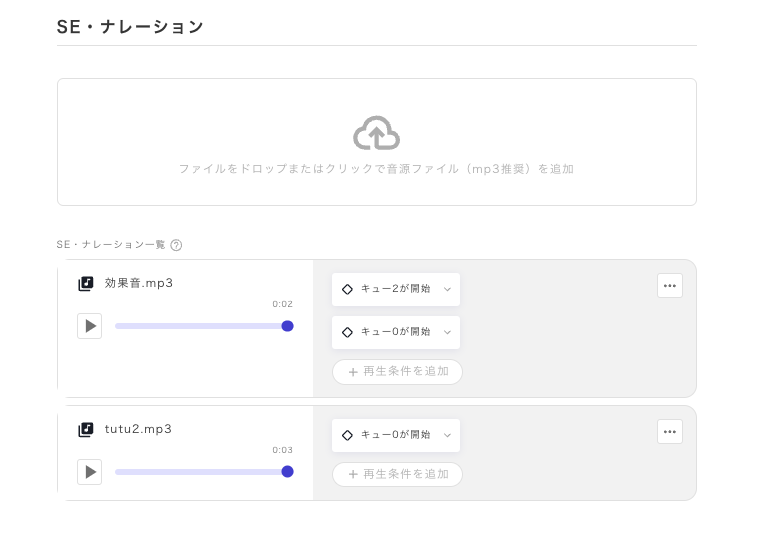
SE·내레이션은 효과음이나 리딩 단계의 내레이션 등, 한 번만 재생하는 음성을 재생할 때 사용합니다.

<figure><img src="https://github.com/uzu-inc/studiov2-document/blob/main/packages/ko/.gitbook/assets/スクリーンショット%202024-02-20%2019.59.30.png" alt=""><figcaption></figcaption></figure>

### 재생 조건 설정

SE는 BGM과 달리 한 번만 재생되는 것을 전제로 하므로, 정지 조건은 존재하지 않습니다.

「재생 조건 추가」에서 재생 조건을 설정하면, 그 조건이 충족되었을 때 한 번만 음성이 재생됩니다.

조건은 여러 개 설정할 수 있으며, 해당 조건이 충족될 때마다 재생됩니다.

### 리딩 단계에서의 재생 설정

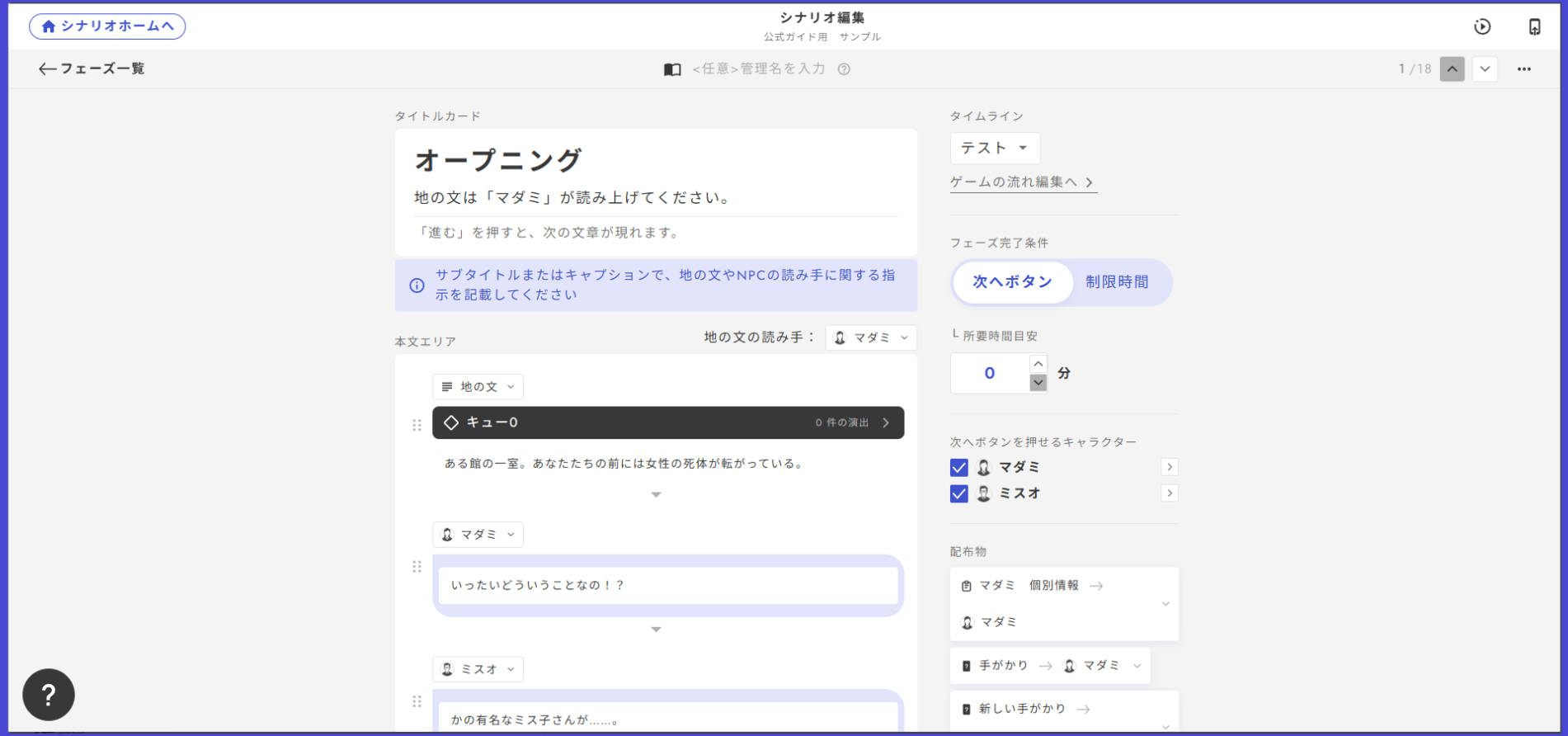
리딩 단계 도중에 음성을 재생하고 싶다면, 「큐」 설정을 합니다.

큐는 리딩 단계의 각 대사에서 설정할 수 있습니다.

<figure><img src="https://github.com/uzu-inc/studiov2-document/blob/main/packages/ko/.gitbook/assets/無題43_20250219062220.png" alt=""><figcaption></figcaption></figure>

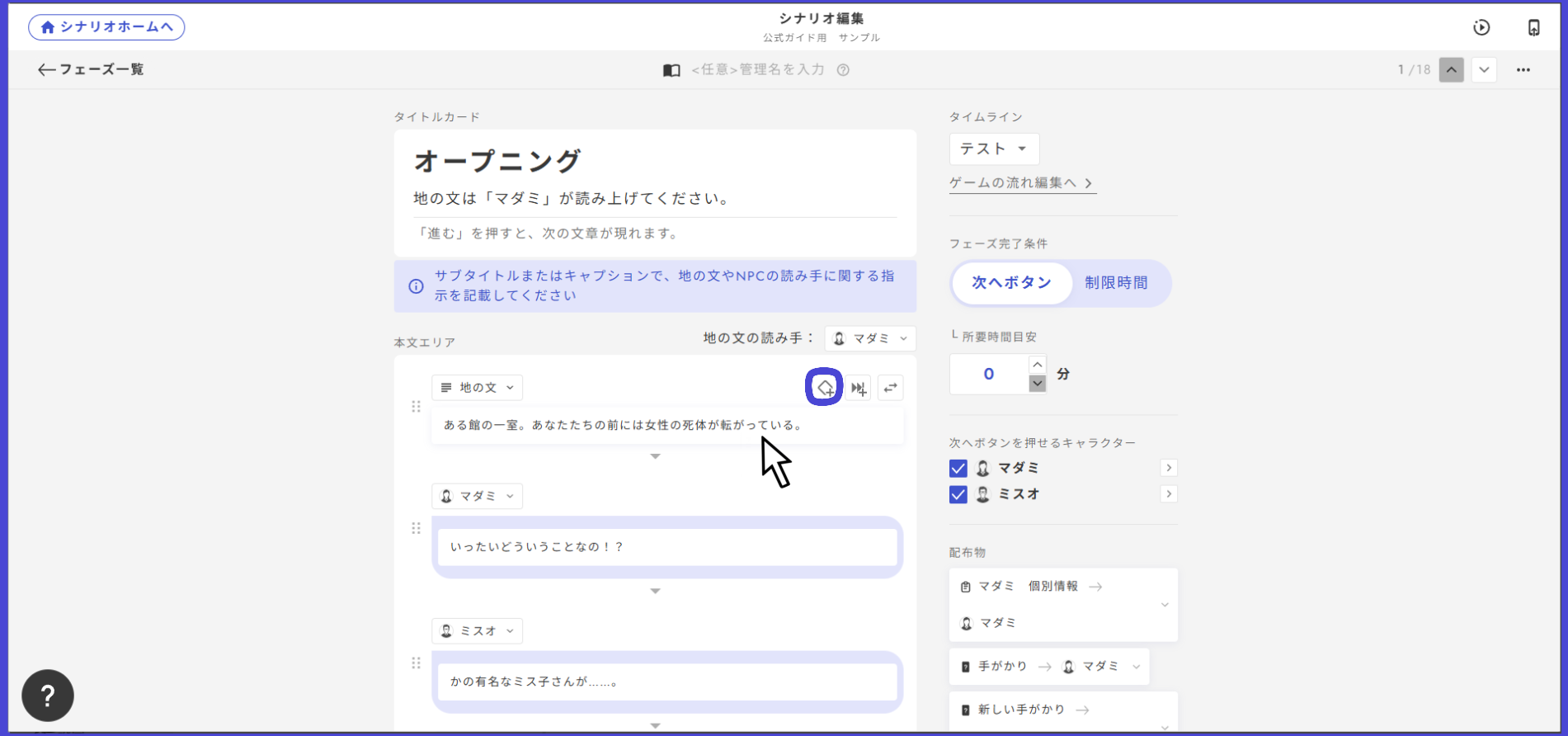
대사에 커서를 올리면 다이아 마크가 나타납니다. 이 다이아 마크를 클릭하면 큐를 생성할 수 있습니다.

<figure><img src="https://github.com/uzu-inc/studiov2-document/blob/main/packages/ko/.gitbook/assets/無題43_20250219062351.png" alt=""><figcaption></figcaption></figure>

검은 바에 큐라고 쓰여 있으면 생성이 완료된 것입니다. 큐 뒤에 붙은 숫자는 큐를 관리하는 번호입니다.

이 큐의 이름은 자유롭게 변경할 수 있습니다. 기억하기 쉬운 이름으로 해도 됩니다.

<figure><img src="https://github.com/uzu-inc/studiov2-document/blob/main/packages/ko/.gitbook/assets/無題43_20250219062728.png" alt=""><figcaption></figcaption></figure>

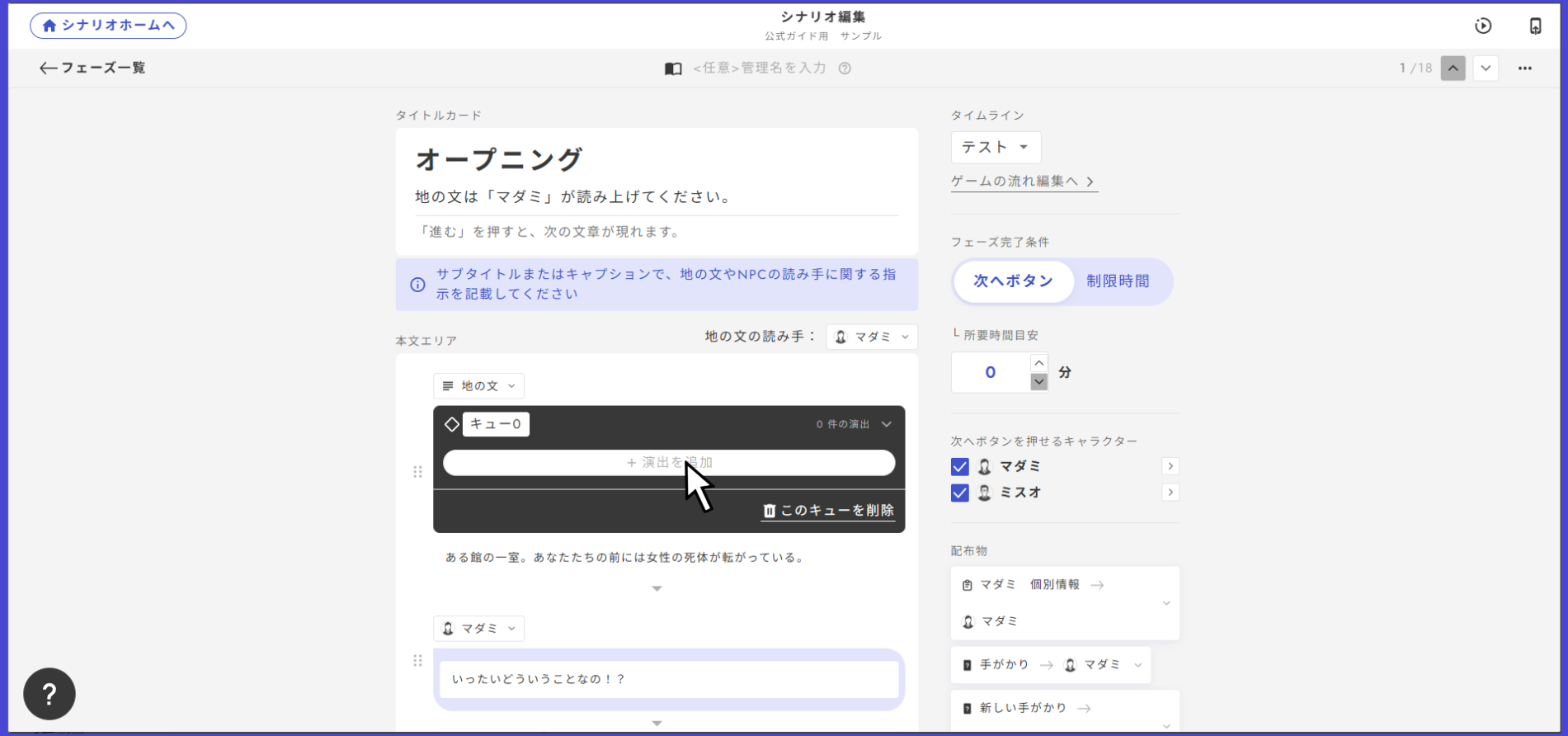
SE를 추가하고 싶을 때는 이 검은 바를 클릭해 「연출 추가」를 클릭합니다. 그러면 BGM과 SE 중 하나를 선택할 수 있게 됩니다. 이번에는 SE를 추가하려고 하므로 SE를 선택합시다.

<figure><img src="https://github.com/uzu-inc/studiov2-document/blob/main/packages/ko/.gitbook/assets/無題43_20250219062849.png" alt=""><figcaption></figcaption></figure>

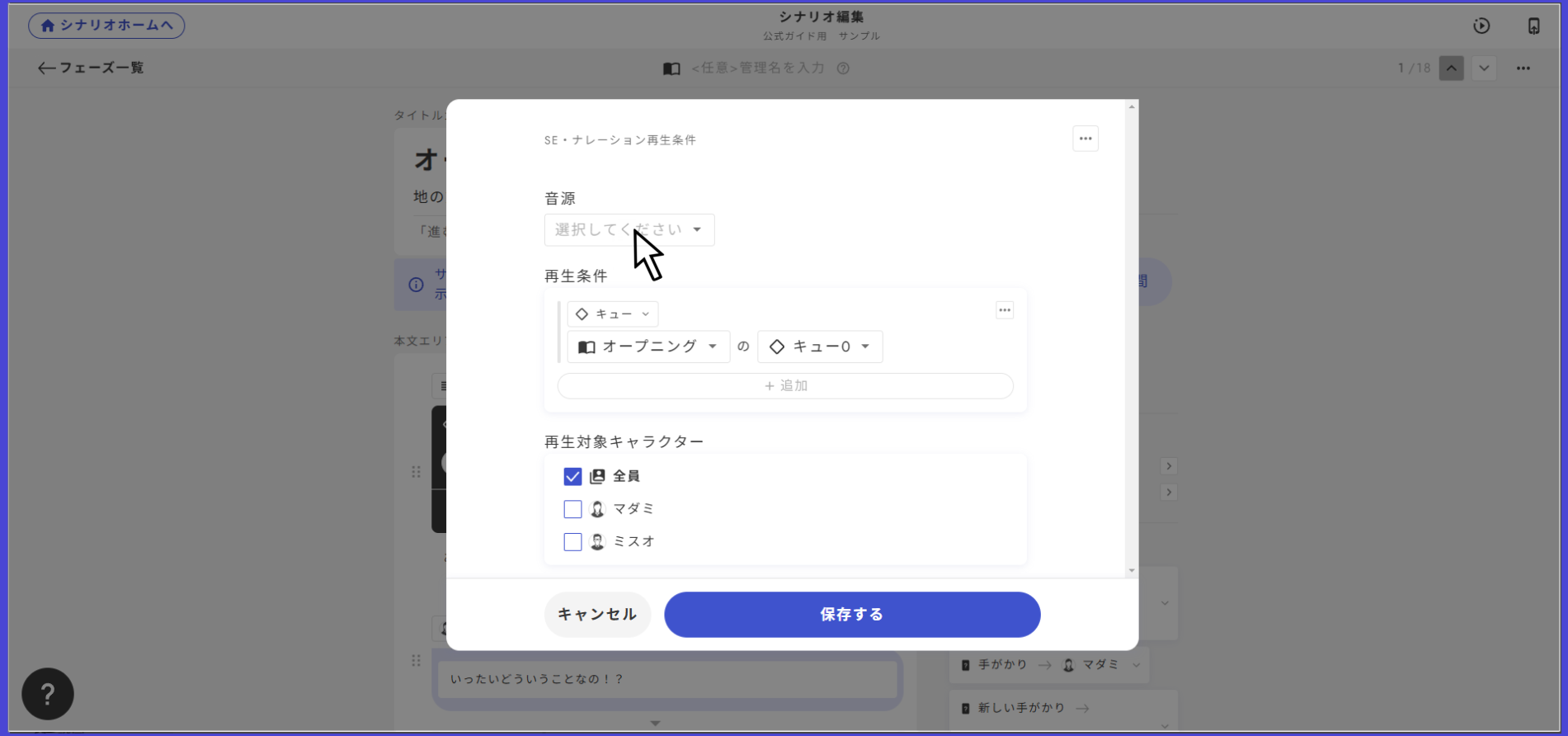
선택하면 재생 설정을 할 수 있게 됩니다. 여기에서 재생하고 싶은 음원을 선택하세요.\
또한 특정 조건에서만 SE를 재생하거나, 특정 캐릭터에게만 SE를 재생하는 것도 가능합니다.
---

# Agent Instructions: Querying This Documentation

If you need additional information that is not directly available in this page, you can query the documentation dynamically by asking a question.

Perform an HTTP GET request on the current page URL with the `ask` query parameter:

```
GET https://docs.studio.uzu-app.com/ko/basic-features/effect/se.md?ask=<question>
```

The question should be specific, self-contained, and written in natural language.
The response will contain a direct answer to the question and relevant excerpts and sources from the documentation.

Use this mechanism when the answer is not explicitly present in the current page, you need clarification or additional context, or you want to retrieve related documentation sections.