> For the complete documentation index, see [llms.txt](https://docs.studio.uzu-app.com/llms.txt). Markdown versions of documentation pages are available by appending `.md` to page URLs; this page is available as [Markdown](https://docs.studio.uzu-app.com/ko/resource/sale-badge.md).
# 세일 배지
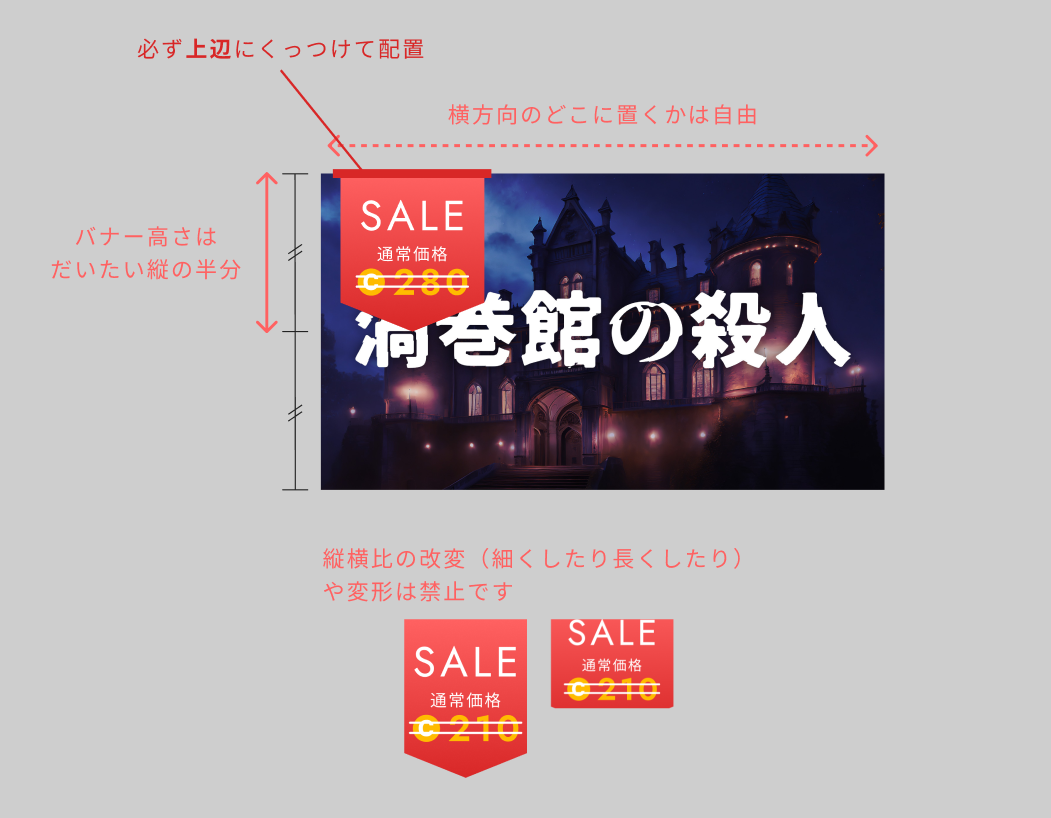
세일 중임을 알기 쉽게 보여주는 배지입니다. 드라이브에서 다운로드하여 키 비주얼에 배치해 사용해 주세요.
※ 우즈 운영 측에서는 키 비주얼의 편집·설치를 하지 않습니다. 또한, 설치는 필수 사항이 아닙니다.
[**배포 페이지로 (Google 드라이브) →**](https://drive.google.com/drive/folders/1j35k8yNtRkDh4mZPxp2LjHRbpiLqXjjQ?usp=drive_link)
【이용에 앞서】
* 우즈에서 진행하는 세일에서만 사용할 수 있습니다.
* 소재로서 다른 매체나 우즈와 무관한 콘텐츠에서 사용하는 것은 금지입니다.
* 세일 종료 후에는 키 비주얼을 교체하는 것을 잊지 않도록 주의해 주세요.
* 릴리스 직후부터 세일을 진행하는 경우, 배지 없는 버전을 릴리스 담당자에게 공유해 주세요 (공식의 릴리스 게시물에서는 세일 배지 없는 키 비주얼을 사용하기 때문입니다).
* 소재의 재배포 및 가공 재배포는 엄격히 금지합니다.
세일을 진행하는 경우, 세일 종료 기한을 시나리오 설명 등에 기재해 주세요.
.png?alt=media)