> For the complete documentation index, see [llms.txt](https://docs.studio.uzu-app.com/llms.txt). Markdown versions of documentation pages are available by appending `.md` to page URLs; this page is available as [Markdown](https://docs.studio.uzu-app.com/zh-tw/basic-features/bgm/senarshon.md).

# 音效・旁白

SE・旁白是用於播放效果音或讀稿階段的旁白等只播放一次的音聲。

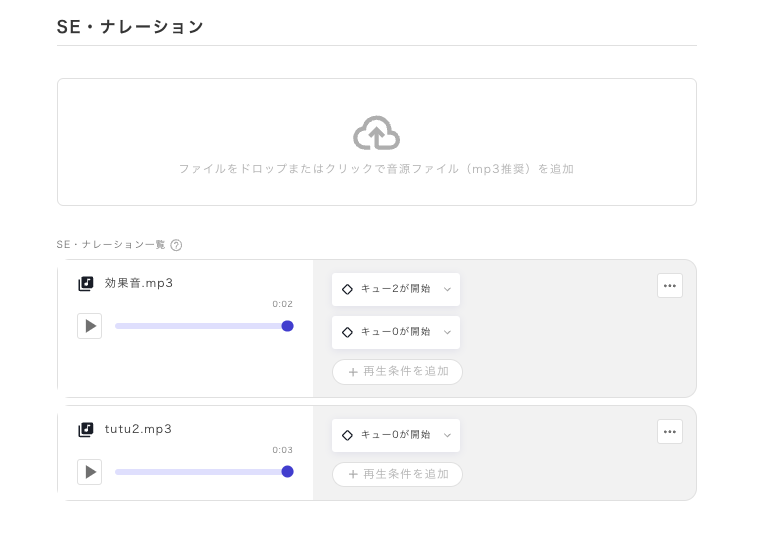
<figure><img src="/files/eQoIp4uxUSCfTi109KbC" alt=""><figcaption></figcaption></figure>

### 播放條件的設定

SE與BGM不同，預設只播放一次，因此不存在停止條件。

從「添加播放條件」中設置播放條件，當滿足該條件時，音聲將只播放一次。

可以設置多個條件，每當滿足這些條件時就會播放。

### 讀稿階段的播放設定

如果想在讀稿階段中途播放音聲，則需要進行「隊列」的設定。

隊列可以從讀稿階段的每一句台詞中進行設定。

<figure><img src="/files/6czBdsKGhhmlyGBPel7X" alt=""><figcaption></figcaption></figure>


---

# Agent Instructions
This documentation is published with GitBook. GitBook is the documentation platform designed so that both humans and AI agents can read, navigate, and reason over technical content effectively. Learn more at gitbook.com.

## Querying This Documentation
If you need additional information that is not directly available in this page, you can query the documentation dynamically by asking a question.

Perform an HTTP GET request on the current page URL with the `ask` query parameter:

```
GET https://docs.studio.uzu-app.com/zh-tw/basic-features/bgm/senarshon.md?ask=<question>
```

The question should be specific, self-contained, and written in natural language.
The response will contain a direct answer to the question and relevant excerpts and sources from the documentation.

Use this mechanism when the answer is not explicitly present in the current page, you need clarification or additional context, or you want to retrieve related documentation sections.